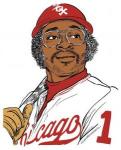
October 24, 200817 yr I like Razor too. I even have a funny Razor story to share... I was at a Spring Training game, in Phoenix against MIL, and Razor was coaching 3rd. I was sitting in the 2nd row right above the dugout on that side of the field. So, Razor catches a foul grounder. He looks over at our area of the stands, seemed to nod at someone (probably a kid), and then threw the ball into the stands. Out of nowhere, as the balls is sailing towards someone in the stands, this dude in the front row leaps out over the dugout, tries to intercept the ball, misses, and lands like a pancake on top of the dugout (splat!). Razor just stares at this guy. Game goes on, a pitch is thrown, and Razor is STILL staring at this guy, incredulously. The game ends. Razor heads towards the dugout, and as he approaches, he yells at this guy who took the ball, "Hey! Ya, you!" I'm thinking, this is going to be interesting. I thought Razor was going to lay into him, or call security or something. Instead, he says, "dude, if you really need a ball that badly, here" and tosses him a baseball. Razor goes into the dugout shaking his head.

Join the conversation
You can post now and register later. If you have an account, sign in now to post with your account.