July 2, 200521 yr Magglio went 1 for 4 with a 2 run homer off the Big Unit in his return. You can say what you want about him, but I still like to see Magglio do well (unless it's against us).
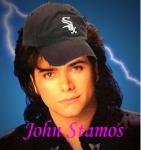
July 2, 200521 yr QUOTE(JohnStamos @ Jul 1, 2005 -> 09:22 PM) Magglio went 1 for 4 with a 2 run homer off the Big Unit in his return. You can say what you want about him, but I still like to see Magglio do well (unless it's against us). I did see that. The thing I never thought I'd see would be John Stamos on our board
July 2, 200521 yr QUOTE(rangercal @ Jul 1, 2005 -> 07:07 PM) I did see that. The thing I never thought I'd see would be John Stamos on our board He'll be at the next tailgate too Ranger. I hope you were a full house fan, cause he'll sign all the pictures you have of him.
July 2, 200521 yr QUOTE(Chisoxfn @ Jul 1, 2005 -> 10:12 PM) He'll be at the next tailgate too Ranger. I hope you were a full house fan, cause he'll sign all the pictures you have of him. bob saget's cuter.
July 2, 200521 yr QUOTE(Chisoxfn @ Jul 1, 2005 -> 10:12 PM) He'll be at the next tailgate too Ranger. I hope you were a full house fan, cause he'll sign all the pictures you have of him. I'm sure he would rather hang out with steff than with us. He's too cool for us.

Join the conversation
You can post now and register later. If you have an account, sign in now to post with your account.