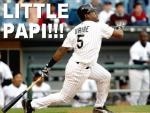
September 24, 200520 yr In the spirit of the Rally Crede, I offer up...LITTLE PAPI (I figured we could use some more recent magic)
September 24, 200520 yr Nahhh, I'll stick with "The Crab". That's what I call Juan, cuz he looks like he runs sideways to me.
September 24, 200520 yr QUOTE(bigred3535 @ Sep 23, 2005 -> 07:40 PM) In the spirit of the Rally Crede, I offer up...LITTLE PAPI (I figured we could use some more recent magic) Little papi
September 24, 200520 yr QUOTE(The Critic @ Sep 23, 2005 -> 08:00 PM) Nahhh, I'll stick with "The Crab". That's what I call Juan, cuz he looks like he runs sideways to me. LOL!!! That's so damn funny and true! Especially out of the box!!!
September 24, 200520 yr Author The first game with Little Papi is a success!!! Sorry this is a little late, I was gone for the last five innings or so. And I am now taking off again. Go Sox

Join the conversation
You can post now and register later. If you have an account, sign in now to post with your account.