October 21, 200520 yr got the same one on at work today.... matter of fact, I havent wanted to wear much else all week.
October 21, 200520 yr I will not buy merchandise until the last possible round. who needs an AL champ, when you can get World champ. But that is just me.. p.s. that hoodie is sweet.
October 21, 200520 yr Man...if we win 4 more, I swear I'm going to blow so much money on this junk...
October 21, 200520 yr QUOTE(Jimbo's Drinker @ Oct 21, 2005 -> 07:45 PM) I will not buy merchandise until the last possible round. who needs an AL champ, when you can get World champ. But that is just me.. p.s. that hoodie is sweet. that's my philosophy. i think i'm going to wait until all is said and done then make my purchases. however i was really tempted to buy that black al champions hat because it was pretty sweet.
October 21, 200520 yr QUOTE(Balta1701 @ Oct 21, 2005 -> 02:52 PM) Man...if we win 4 more, I swear I'm going to blow so much money on this junk... ^^^^ This team is the reason I have and want money. I'm just glad my birthday and the holidays are around the corner, so I can get some help getting some of the goods.
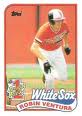
October 21, 200520 yr When I go "Sox shopping" this weekend, this what I'm buying before anything else:

Join the conversation
You can post now and register later. If you have an account, sign in now to post with your account.