Bonemer, I Hardly Know Her
Members
-
Joined
-
Last visited
-
The real answer is HBO Max. But you can also watch it on TBS/Tru TV if you have cable.
-
ALCS is on meatspin
-
Meidroth 2B Vargas 3B Mune 1B Grichuk RF Pham DH Teel C Doyle CF Colson SS Peters LF I'm thinking something like this. Could put Sam in LF instead of Peters
-
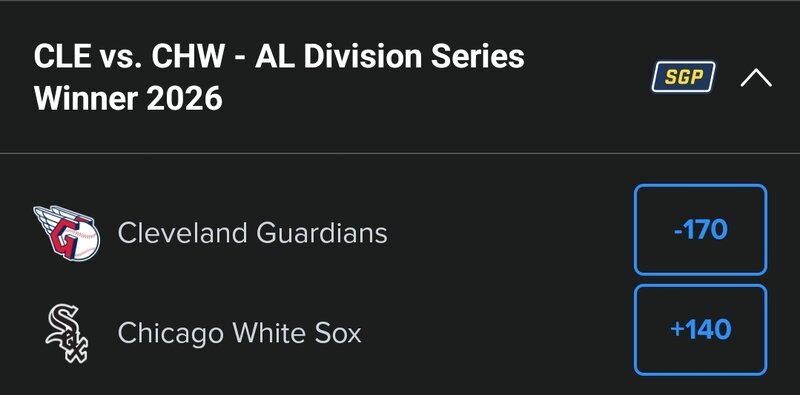
I assume they spent the night in Houston and are flying to Cleveland today. Get some rest today and back to work tomorrow.Not to make light of people with disabilities in any capacity whatsoever. Serious question here... Is Sam Antonacci on the spectrum?It was ugly but maybe not quite as bad as his box score looks. I didnt see velocities on his fastball, he gave up a lot of hits but seemed like relatively soft contact. I was sort of half watching that on TV2 and sox lockerroom celebration on TV1Happy SoxtoberAs an Iowa alum, it's f*** ohio this Saturday! Sox/Guards and Hawkeyes/Buckeye. One of the biggest sports days of my life and I'll be driving the family minivan to Florida the entire day, with 4 kids in the backseat.Cubs totally crumbling.Sox vs Dodgers feels like the ultimate contrast match up. The entire sports world would be invested and rooting for the Sox.1/4 Mexican. He has 4 grandparents and 1 is Mexican.A resurgent Newcomb would be massive for this series.Who do you all think pitches game 1? With the lefty heavy Guardians lineup, I'm thinking maybe we roll with Hagen and try to get 3 innings again.