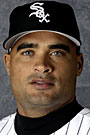
June 20, 200520 yr Frank is a perfect pinch hitter right now. Heck as a DH he essentially has been pinch hitting 3 to 4 times a game for years now anyway. Plus as slow as he is running right now, it makes sense to PH him in a situation where you could put in a speedier runner late in the game anyway.
June 20, 200520 yr The dreaded lead-off walk usually comes back to bite you, and Frank is one of the best all-time at coaxing a base on balls. Ozzie knows Frank has as good a chance as anyone of getting on base, and at that point of the game he needed baserunners. With Ozuna available to pinch run, it was a perfect time to use him. The one strike they called on him wasn't even close to being a strike. Frank is still one of the most intimidating presences in the game.
June 20, 200520 yr When Gload returns this is a very strong bench. With Thomas/Everett it gives the Sox the ability to PH any where in the order & replace the PH with a solid defender. Widger -C/3B, Gload - 1B/RF, Everett - DH/RF/LF, Harris - 2B/SS, Ozuna -3B/SS Thomas can't play the field but he is capable of PH any where in the order & can be replaced by a capable glove at that position. I would prefer Thomas get more starts than Everett though because his HR potential can take some of the pressure off our pitching & defense late in the games. It would be nice to win easy with power once in a while

Join the conversation
You can post now and register later. If you have an account, sign in now to post with your account.