

-
Martin vs. Melton Not sure if they are gonna get this one in. Looks like the rain clears eventually but they would have to wait quite a while. Lineups TBD
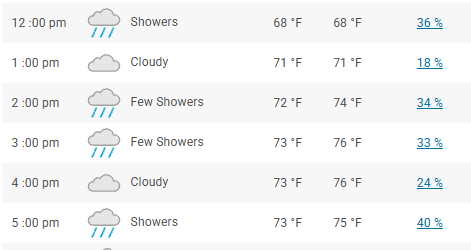
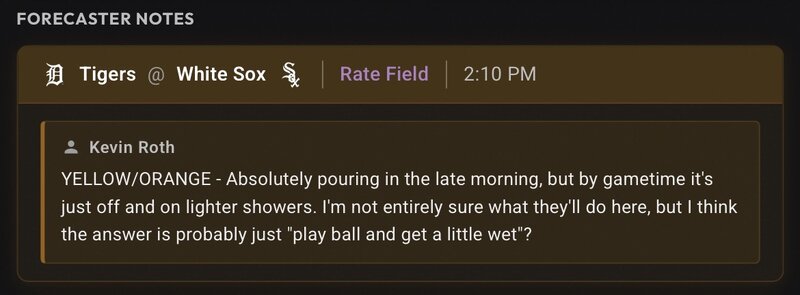
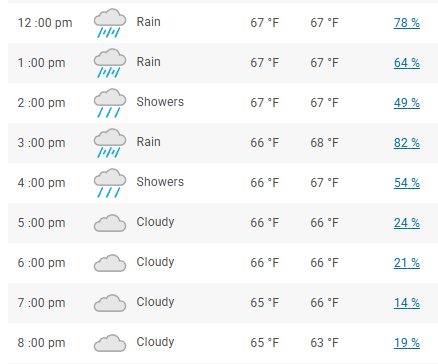 Hell yea! He takes after his brotherSaving for the 9thNever a doubt!Ishbia at the game with his kidsBurke vs. Jobe Many (most?) seem to have thrown in the towel, but we still hold a playoff spot with 8 games to go. Call it optimism or delusion, but I still believe. Put the pedal to the metal and lets grab the division back and the 2 seed. It's go time! Looks to be a wet one, but i'd imagine they are going to do everything they can do get this one in.
 We have word he's day to day.Alcohol5th times the charmColson back in






Account
Navigation
Search
Configure browser push notifications
Chrome (Android)
- Tap the lock icon next to the address bar.
- Tap Permissions → Notifications.
- Adjust your preference.
Chrome (Desktop)
- Click the padlock icon in the address bar.
- Select Site settings.
- Find Notifications and adjust your preference.
Safari (iOS 16.4+)
- Ensure the site is installed via Add to Home Screen.
- Open Settings App → Notifications.
- Find your app name and adjust your preference.
Safari (macOS)
- Go to Safari → Preferences.
- Click the Websites tab.
- Select Notifications in the sidebar.
- Find this website and adjust your preference.
Edge (Android)
- Tap the lock icon next to the address bar.
- Tap Permissions.
- Find Notifications and adjust your preference.
Edge (Desktop)
- Click the padlock icon in the address bar.
- Click Permissions for this site.
- Find Notifications and adjust your preference.
Firefox (Android)
- Go to Settings → Site permissions.
- Tap Notifications.
- Find this site in the list and adjust your preference.
Firefox (Desktop)
- Open Firefox Settings.
- Search for Notifications.
- Find this site in the list and adjust your preference.