Skip to content
View in the app

A better way to browse. Learn more.

Soxtalk.com

A full-screen app on your home screen with push notifications, badges and more.

To install this app on iOS and iPadOS
  1. Tap the Share icon in Safari
  2. Scroll the menu and tap Add to Home Screen.
  3. Tap Add in the top-right corner.
To install this app on Android
  1. Tap the 3-dot menu (⋮) in the top-right corner of the browser.
  2. Tap Add to Home screen or Install app.
  3. Confirm by tapping Install.

DJ calling the HR Derby

Featured Replies

Could u all imagine if DJ was doing chris berman's job for the homerun derby......ill take all of berman's horrible antics anyday over dj........america would want to kill dj for all the uh-oh's and ohhhhhhhhhhhhhh myyyyyyyyyyyyyyyyyyyyyyy's

lol that be some comedy, but then it'd just get annoying.

3 runs, bye bye! :lolhitting

QUOTE(Sonik22 @ Jul 11, 2005 -> 10:23 PM)
3 runs, bye bye! :lolhitting

Offense Instant!

That'd be the best thing ever. Berman needs to be fired by the way. He sucks at life.

DJ needs to do a feed for whitesox.com or something. I'd love it. Funny thread idea btw

what about the hawk?


he would get tired out pretty quick!

QUOTE(TimoandAaron @ Jul 11, 2005 -> 10:45 PM)
what about the hawk?


he would get tired out pretty quick!

yeah at the end there would be like ten seconds between each word and he would forget what to say

There's nobody who could do a good job calling the home run derby though. it's repetitive. Berman ends up just doing a bunch of oh's and ah's and trying to work in a back, back, back........ I really don't have much interest in this if there are no White Sox involved.

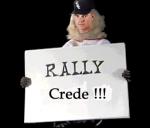
I would love it if DJ called the homerun derby. I can't get enough Uh-Oh's. :uhoh

DJ's UHH OOO's and O MY's are better then bermans BACK BACK BACK BACK BACK GONE!

Join the conversation

You can post now and register later. If you have an account, sign in now to post with your account.

Guest
Reply to this topic...

Recently Browsing 0

  • No registered users viewing this page.

Account

Navigation

Search

Search

Configure browser push notifications

Chrome (Android)
  1. Tap the lock icon next to the address bar.
  2. Tap Permissions → Notifications.
  3. Adjust your preference.
Chrome (Desktop)
  1. Click the padlock icon in the address bar.
  2. Select Site settings.
  3. Find Notifications and adjust your preference.