August 1, 200817 yr QUOTE (Dick Allen @ Aug 1, 2008 -> 09:44 PM) He'll be Dirty Thirty one more night and Griffey will wear 17 tonight. The big switch will be tomorrow. So what is Griffey's # history...hasn't he always been 24?
August 1, 200817 yr Author QUOTE (DABearSoX @ Aug 1, 2008 -> 02:46 PM) So what is Griffey's # history...hasn't he always been 24? 24,30,3
August 1, 200817 yr He was 24 with the Mariners, then he switched to 30 in Cincy because that was his father's number. I don't know why he switched to 3.
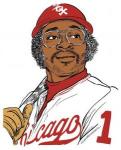
August 1, 200817 yr QUOTE (Jenksy Cat @ Aug 1, 2008 -> 09:04 PM) Swish will be "the dirty 1" moving forward. that sounds naughty... and nice quote in the sig Jenksy....so when can we vote that the post of the year...all of the regulars have used it at least once since brian posted it...hahahahah Edited August 1, 200817 yr by DABearSoX
August 1, 200817 yr QUOTE (DABearSoX @ Aug 1, 2008 -> 04:09 PM) that sounds naughty... and nice quote in the sig Jenksy....so when can we vote that the post of the year...all of the regulars have used it at least once since brian posted it...hahahahah Yeah whenever I get angry about something, i just picture him typing that and laugh hysterically.

Join the conversation
You can post now and register later. If you have an account, sign in now to post with your account.