hi8is
Members
-
Joined
-
Last visited
Everything posted by hi8is
-
I’m stoked they’re putting Psycho Sammy in.
-
Seriously… who is announcing this game? I want to beat the living s%*# out of him. “Vargas goes around on a called strike, let’s see if Gatis can get another one here!” Fucking choad.
-
Seriously… f*** these announcers.
-
Three run bomb by Pham.
-
TOMMY PHUCKING PHAM!!!!!!! BOOOOOM!!!!
-
Another reason I REALLY want to win this game: So that these douche bag ESPN announcers get the Indian’s cock out of their mouths. Fucking scum.
-
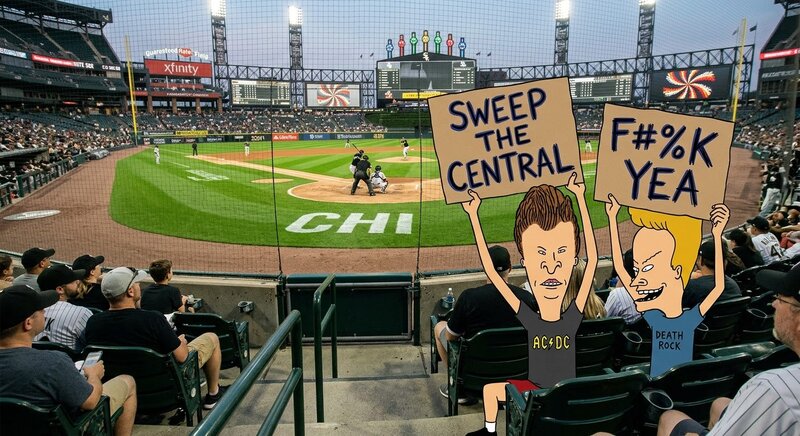
Same. STILL… THE SWEEP THE CENTRAL CAMPAIGN MOVES ON!!!! EIGHT MORE WINS IN EIGHT FINAL CENTRAL GAMES REMAINING. LETS FUCKING GO!!!
-
Would have rather seen Quero in as clean up DH. PROVE US WRONG PHAM!!! GO OUT WITH A BANG!!!!
-
Baseball being baseball, he’ll go 3-4 with a game winning RBI.
-
HOLY PUCKING PHAM!!!!
-
HOLY PUCKING PHAM!!!!!
-
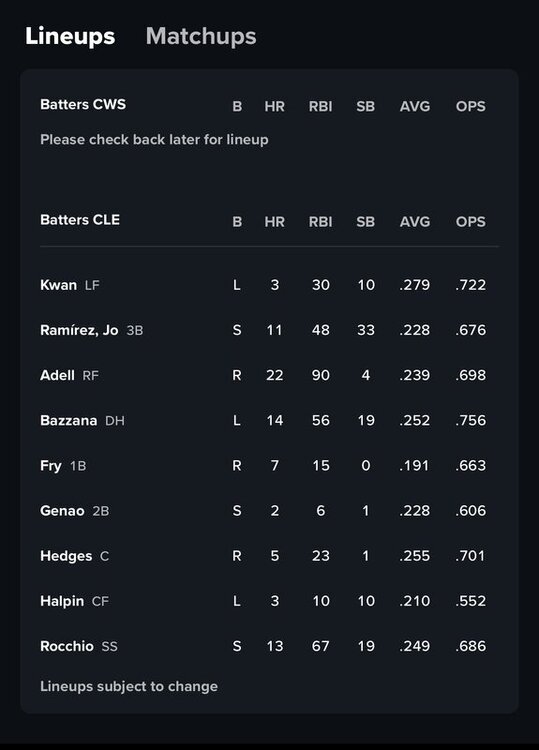
Sox are acting like p*****s. Trying to get cute and deek the opposition with last minute changes like Murphy yesterday and waiting to release today’s lineup. Just put your best players out there in the best possible position to succeed. Period. You’re the better team. Go prove it. Earn it. TAKE IT. WIN!!!
-
Totally agree. Fucking idiots.
-
I hate the fucking Spiders / Indians / Guardians. If I had f*** you money, I’d offer 500k to each roster Cleveland player for the chance to pie them in the face with some Skyline Chilli Pasta. f*** CLEVELAND. GO SOX!!!
-
I’m in the camp that if they don’t win the division they failed. I don’t want a wild card. I want the two seed and the division because they had it in their hands. SWEEP THE FUCKING CENTRAL resets today!
-
I’m completely aware but the season isn’t over like some are claiming it to be. We’re in the middle of it and I understand we should already have left everyone in the dust. My optimism is my only remaining defense mechanism and the White Sox are the only remaining remnant of innocence from youth. So I’ll hold onto that… everything else in life I’m an angry pessimistic old man that thinks everything has gone to s%*#.
-
LETS FUCKING GO WHITE SOX!!!!!!!!!!!
-
If they win tomorrow, everything in Sox fandom will take another 180. These guys won’t quit until the last out of game 162. I also have complete faith that they’re all learning and maturing through these experiences in ways that will serve their growth next year BIG TIME. Hopefully the same is also true for the coaching staff. Lots of room for improvement top to bottom on this team. LETS FUCKING GO WHITE SOX!!!
-
Looks great to me. We know that Venable and Getz would never allow it because of their bubble wrap treatment of Mune.
-
We’ve won 2 of 3 Messik games this year. In the three games Kay has thrown against Cleveland, he has given up 3 runs across 16 innings. Tomorrow isn’t the slam dunk automatic win people are assuming it is for the Indians… and if the Sox DO win tomorrow, everyone will be feeling very differently. We’ll have a 1.5 game lead in the standings and a 2.5 game lead in reality. It sucks that they couldn’t step on their throats tonight when they had it in their hands… but they have a shot to turn it around. FUCKING GO TIME.
-
At least Colson hits lefties better than most.
-
You’re my new favorite poster. Give this user a star or some s%*#.
-
He swung at strike two.
-
It’s not even a question. Castillo isn’t starting. The question regarding Castillo is, “Will he start for the White Sox again in 2026?” I don’t think he will.
-
I think Castillo is out of the rotation until Sandlin proves he doesn’t deserve a spot… if that happens.