Whisox05
Members
-
Joined
-
Last visited
Everything posted by Whisox05
-
Just pointing out with peeps saying starting rotation is weak hasn't checked the stats. Not saying this group can continue it but they are sporting a 3.70 era which is 7th best in mlb. Sox should have some reinforcement with starters coming too. The bullpen is a whole another issue. Thats in the bottom group which maybe some starters could get pushed to pen trying to squeeze in other others coming up.
-
Where's quero playing? Benintedi is probably going to dh alot more. Unfortunately leaves them with a pickle trying to get time for quero and Sosa to be playing consistently with no open spots
-
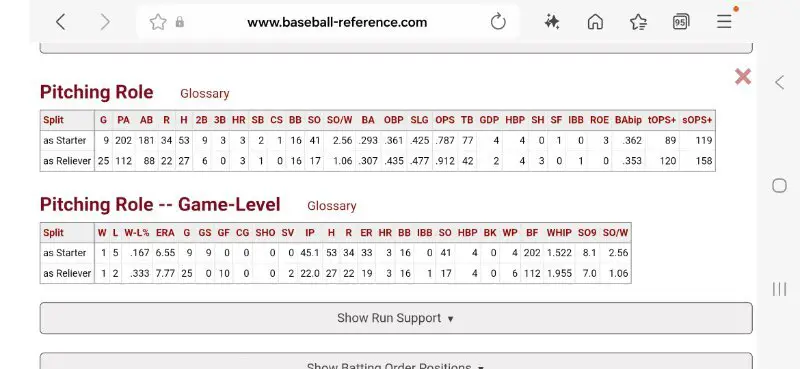
Seems like alot of folks are putting Hicks in bullpen. Tho plus is Sox blowing past the 20 million from Robert. Also have to clear 3 spots on roster nowSo is Hicks the starter or reliever?Really dont know how he can be counted on as a starter anymore. If for some reason hes being involved in talks with white sox, it has to be a bullpen piece but again they need outfield and starting pitching more. Trading any little value we have again a possible starter when there is so much free agents is poor use of goods.
Account
Navigation
Search
Configure browser push notifications
Chrome (Android)
- Tap the lock icon next to the address bar.
- Tap Permissions → Notifications.
- Adjust your preference.
Chrome (Desktop)
- Click the padlock icon in the address bar.
- Select Site settings.
- Find Notifications and adjust your preference.
Safari (iOS 16.4+)
- Ensure the site is installed via Add to Home Screen.
- Open Settings App → Notifications.
- Find your app name and adjust your preference.
Safari (macOS)
- Go to Safari → Preferences.
- Click the Websites tab.
- Select Notifications in the sidebar.
- Find this website and adjust your preference.
Edge (Android)
- Tap the lock icon next to the address bar.
- Tap Permissions.
- Find Notifications and adjust your preference.
Edge (Desktop)
- Click the padlock icon in the address bar.
- Click Permissions for this site.
- Find Notifications and adjust your preference.
Firefox (Android)
- Go to Settings → Site permissions.
- Tap Notifications.
- Find this site in the list and adjust your preference.
Firefox (Desktop)
- Open Firefox Settings.
- Search for Notifications.
- Find this site in the list and adjust your preference.