December 13, 200916 yr I could keep it but he'll probably be in the AL against us and it'd just be weird. suggestions? Never got to switch to ShutUpandDye as I had planned
December 13, 200916 yr QUOTE (Princess Dye @ Dec 12, 2009 -> 06:25 PM) I could keep it but he'll probably be in the AL against us and it'd just be weird. suggestions? Never got to switch to ShutUpandDye as I had planned If you want to stick with the cross-gendered theme, you could change your name to 'sexylexi' and put a supermodel's head on a pic of Ramirez.
December 13, 200916 yr I was thinking of changing my name to Your Love, but i kind of like Thunderbolt. If you want it, it's yours.
December 13, 200916 yr Your screen name reference to the World Series MVP will always be valid in my mind. Clever too.
December 13, 200916 yr Something that has to do with Tyler Flowers, so when we trade him in a week's time you can make this thread again.
December 13, 200916 yr QUOTE (bschmaranz @ Dec 12, 2009 -> 09:11 PM) Something that has to do with Tyler Flowers, so when we trade him in a week's time you can make this thread again. TyDyed?
December 13, 200916 yr Whatever you decide to do just PLEASE get rid of that Dawson's Creek avatar. A small part of me dies whenever I see it.
December 13, 200916 yr Nah Dawson stays. I'd wait until the opening day roster is set before deciding a name. Who knows what twists and turns the offseason still holds.
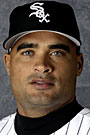
December 13, 200916 yr Author He was never my all-time favorite player or anything, but he'll probably be remembered in an unfair light for this last half season. And as far as his whole career here...will probably be given a little less than his due b/c he wasnt a homegrown talent, and overall was pretty much a vanilla personality. But several years here he had some big numbers, and obviously meaningful ones with regard to the history of the franchise. Edited December 13, 200916 yr by Princess Dye
December 13, 200916 yr We can just change it to "Princess." That's the name that all the guys call you, right?
December 13, 200916 yr Author Can I change to "Die Sox White Fan" how do I do this...is it somewhere in my controls or does a mod have to. Or do i just have to completely restart and lose postcount
December 13, 200916 yr QUOTE (Princess Dye @ Dec 13, 2009 -> 01:42 PM) Can I change to "Die Sox White Fan" how do I do this...is it somewhere in my controls or does a mod have to. Or do i just have to completely restart and lose postcount Send a PM to one of the Admins and ask them to do it for you.
December 14, 200916 yr QUOTE (Princess Dye @ Dec 13, 2009 -> 01:42 PM) Can I change to "Die Sox White Fan" how do I do this...is it somewhere in my controls or does a mod have to. Or do i just have to completely restart and lose postcount Lulz, was this from B&B?
December 14, 200916 yr QUOTE (Princess Dye @ Dec 13, 2009 -> 12:28 AM) He was never my all-time favorite player or anything, but he'll probably be remembered in an unfair light for this last half season. And as far as his whole career here...will probably be given a little less than his due b/c he wasnt a homegrown talent, and overall was pretty much a vanilla personality. But several years here he had some big numbers, and obviously meaningful ones with regard to the history of the franchise. I disagree, I think for much of JD's tenure here, he fit the Chicago persona perfectly and is going to be remembered for a very long time and his name is going to be used when talking about 2005 a lot, same goes with Crede.

Join the conversation
You can post now and register later. If you have an account, sign in now to post with your account.