

South Side Fireworks Man
Members
-
Joined
-
Last visited
Everything posted by South Side Fireworks Man
-
I was at a pro wrestling show back in 1975 at the Amphitheatre when someone from the upper balcony pulled a gun and started firing at the ring. He missed the wrestlers and referee but hit a few people sitting at ringside. I heard a few "pops" but had no idea they were gunshots. We didn't know anything about it until we were walking home late that night after stopping for a pizza at a place near our own neighborhood after the show. The police pulled up to us because we were underage and it was long past curfew. They asked what we were doing and we told them we were walking home from the pizza place. They asked why so late and we told them we were previously at the wrestling matches. One of the policemen asked, "What happened there?" and I started telling him the results of the matches. He said, "No, I mean what happened with the shooting?" We said, "What shooting?" We were right there and we didn't even know about it and first found out when the policeman told us what had happened. There was no panic, no announcements and most people there had no idea there was an active shooter in the crowd and that several people had been hit.
-
I agree with your statement. Nobody dislikes Reinsdorf and his organization more than I do. However, in this case I'm not going to pile on. Maybe it was better that they didn't start a panic and have everyone rushing for the exits all at once causing a stampede in which more people may have been hurt. And if the shot really came from outside the park, it's probably good they didn't send people outside the park until they knew exactly what was going on. As it was nobody was seriously injured and even people sitting nearby had no idea anything was amiss. It was a relatively minor incident. Unfortunately these things can happen anywhere, but it's especially not surprising that it would happen in Chicago.
-
I agree with this. And also acquire good baseball players, coaches, scouts, managers, etc.
-
Kenny Williams, Jerry Manuel, Ozzie Guillen, Rick Renteria, Pedro Grifol, all say "Hi."
-
Everything Reinsdorf does is a sham. Race has nothing to do with it.
-
So AJ sees it exactly the way I do.
-
That's JR's MO. He always hires people for positions that nobody else would hire them for. That's how he gets their loyalty, because they know without JR they would never be in an equivalent position.
-
And a couple of people laughed when I said it could wind up worse than if JR did nothing.
-
I was at that game. Bought a $1.00 Bleacher ticket like I did for every game Harry would broadcast from the CF bleachers. Sat there right behind Harry for most of the game but then went and snuck into seats in the upper deck just between 3B and Home Plate. That's when Dick hit that Home Run into the CF bleachers where I had previously been sitting. I miss the days when White Sox baseball was fun and full of likable characters.
-
So LaRussa knew Hahn and KW had to be overruled by JR to get rehired as manager. Then he becomes a FO consultant. JR conducts "internal interviews" (gee, I wonder with whom?) and it's decided that Hahn and KW need to be fired. Then the rumors begin that the replacement is someone TLR thinks highly of.
-
I always liked KW more than Hahn but if this is true KW was even worse than Hahn. Edit: But why would dealing Burger keep them from dealing Anderson? Unless some team demanded Burger as a condition for taking Anderson's contract.
-
Why the negativity?
-
Did anyone think JR was going to change? This organization was horseshit from the day they bought the team.
-
I liked the way Stu Holcomb and Roland Hemond approached things when they took over after the 56-106 1970 season.
-
Get well soon!
-
All he had to do was look in the mirror.
-
He's the biggest problem!
-
At least the Sox had a seat at the table.
-
At least Kenny was never complacent with losing and was never shy about shaking things up when he felt the players weren't performing up to his expectations. Trade deadlines and offseasons were always much more interesting under KW than after Hahn took over.
-
Worse than nothing.
-
Wow! Didn't see that coming so soon! Now JR should hire Theo Epstein or someone like that to run everything. But he'll probably just promote/hire some other incompetent cronies to take their places.
-
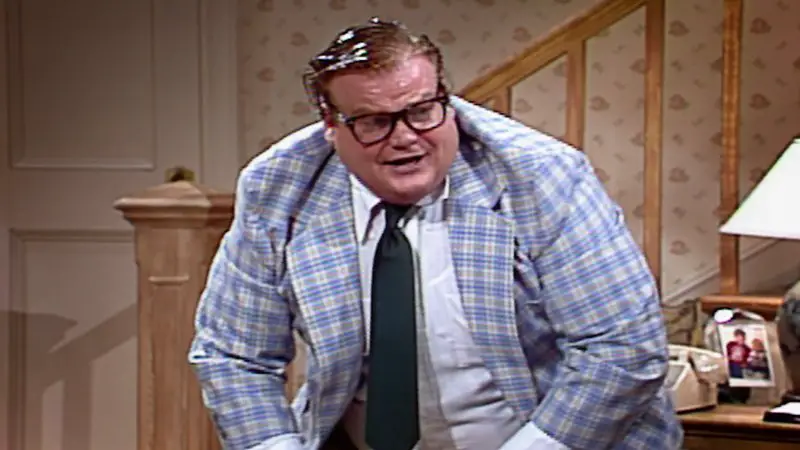
This guy? That would have been interesting!
-
Oh, what might have been! The White Sox could have become a great franchise under DeBartolo but instead became an irrelevant joke under the two asshole "Sunshine Boys."
-
How about the Cubs and the Sox merge into one Chicago team called the Cocks?
-
Unless it's with different, competent owners.





