
All Activity
Past hour
-
we will take the 2. good start.
-
nice start
-
Awesome approach by Chase! The boys smell it.
-
You going to be flipping between games?
-
Lord Meidroth!!
-
boom, great start!
-
Hot start!
-
There you go Chase No over swinging there
-
He's been getting hit a lot lately.
-
We are getting some dangerous HBPs lately
-
Ugh hopefully Mune is okay…
-
Really hope it's not as bad as it looks
-
Got him on the inside of the back elbow
-
f***.
-
He threatened to stuff Getz in a locker in that elevator if he didn't bat at the top of the order.
-
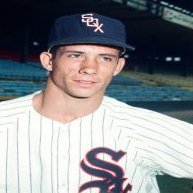
I became a White Sox fan in 1952 and when they won the 1959 pennant it was the greatest moment of my youth and for many years to come. Unfortunately we came up short in the World Series.
-
It’s not out of the question they try to get the 6 spot
-
Good at bat by Tommy.
-
Red Sox are doing it on purpose at this point. What is this s%*#?
-
He probably threatened to beat Will up
-
trying to bait KC into using a RHP earlier in the game
-
SSS
-
If only they could develop an outfielder or two Cags not there for defense though Garcia Pasquatch Witt Jensen a very solid core group But pitching pitching pitching after Wacha and Coleman
-
I really don't understand batting Pham 2. He should play vs lefties but hitting him in the most important spot in the lineup is insane.
-
Pham looking to keep his White Sox OPS north of 1.000 tonight











.thumb.jpg.1bfa21502c2c2825cb6fd525bc016063.jpg)