

DoUEvenShift
Members
-
Joined
-
Last visited
Everything posted by DoUEvenShift
-
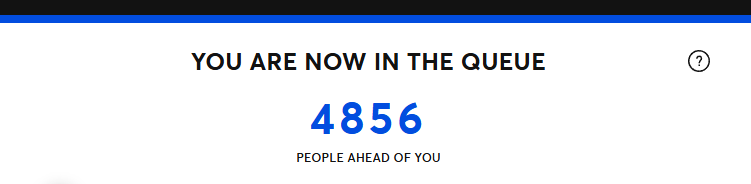
Burke vs. Jobe Many (most?) seem to have thrown in the towel, but we still hold a playoff spot with 8 games to go. Call it optimism or delusion, but I still believe. Put the pedal to the metal and lets grab the division back and the 2 seed. It's go time! Looks to be a wet one, but i'd imagine they are going to do everything they can do get this one in.We have word he's day to day.Alcohol5th times the charmColson back inhe can be as weird as he wants if he keeps up a 2.50 era in 101 IP.Check that - was able to get lower bowl tickets for ALDS game 2!Looks like it's gonna be StubHub for me
 You guys season/partial season ticket holders I assume?WE DID IT! KEEP EM ROLLIN WITH MORE W'SThis would have been 2011 or 2012? https://presidentlincoln.illinois.gov/Resources/d071eb72-bca0-4533-8fe1-b23b45e71d0d/Thompson_Jam_PFNL_Vol_V.pdfSee, Tray is right.Weather looks pretty dicey Sat & Sun. Detroit does not have an off day like us on Monday. https://www.nbcchicago.com/weather/soaking-wet-stormy-rainy-weekend-ahead-for-chicago-area-severe-weather-possible/3990714/Wtf is going on in this thread. Sox win, back to 1st place!!!Positive JoeJoe - Sox by a millioniSpot | Realtime TV Advertising Performance MeasurementDairy Queen TV Spot, 'Favorite Burger and Blizzard Meal'...Major League Baseball stars Bryce Harper and Tim Anderson are campaigning to prove who has the better meal at Dairy Queen. Bryce is taking the side of spicy with his meal featuring the Flamethrower BuWasn't he in a Dairy Queen ad too?Good news everybody - if you aren't a fan of Schriffdawg you can switch to the away broadcast for Benetti!Interesting stat - Sox are 9-0 the last 9 games Fedde has started. (No opener/relief appearances)







Account
Navigation
Search
Configure browser push notifications
Chrome (Android)
- Tap the lock icon next to the address bar.
- Tap Permissions → Notifications.
- Adjust your preference.
Chrome (Desktop)
- Click the padlock icon in the address bar.
- Select Site settings.
- Find Notifications and adjust your preference.
Safari (iOS 16.4+)
- Ensure the site is installed via Add to Home Screen.
- Open Settings App → Notifications.
- Find your app name and adjust your preference.
Safari (macOS)
- Go to Safari → Preferences.
- Click the Websites tab.
- Select Notifications in the sidebar.
- Find this website and adjust your preference.
Edge (Android)
- Tap the lock icon next to the address bar.
- Tap Permissions.
- Find Notifications and adjust your preference.
Edge (Desktop)
- Click the padlock icon in the address bar.
- Click Permissions for this site.
- Find Notifications and adjust your preference.
Firefox (Android)
- Go to Settings → Site permissions.
- Tap Notifications.
- Find this site in the list and adjust your preference.
Firefox (Desktop)
- Open Firefox Settings.
- Search for Notifications.
- Find this site in the list and adjust your preference.