

Everything posted by DoUEvenShift
-
PSYCHO SAM LEGGO!
-
Brother you realize we have more than half our at bats left? And down only 3? I dont buy you are a Sox fan get the f*** out of here
-
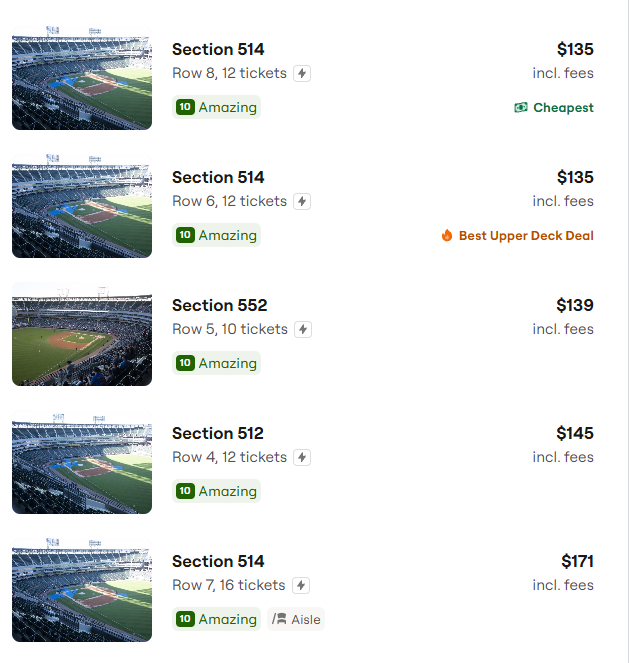
THE PLOT THICKENSTP tried to pull an AJCrowd getting back into itGod all you negative nancy posters are so fucking annoyingI LOVE DP!!!!!!!!!!!!!!!!!!!!!Hold em here Noah!!! Big stage for the local product from Oswego!Cant accuse Sam for turning into that one lolFinally evening out all the bullshit 50mph hits Cleveland's been getting all yearThe announcer continuing to say they are playing in "South Chicago" is annoying but I don't think he understands Chicago neighborhoodsVARGAS f*** YEA!!!Worst playoff atmosphere my ass ESPN!If that's the case he's fine by me!Ya check your DM'sBelmont Cameli? Never even heard of him. Fuckin MerkWhy wouldn't these scalpers split these up into smaller groups? They could have sold them for 2-3x by now and now they are unloading them for almost face value. Whatever - f*** em!
 And Gene announces the extension as they throw to MuneRon's favorite former playerEven if she doesn't, she HAS to be there tomorrow on the organ. Just a no brainer for Brooks and his team to make it happen - hope they did. Also, seen this floating around today, but if they revamped this video and brought it back the park would go fucking insane. I get goosebumps still watching the old version.Thanks. With all the Ben Shapiro talk today I was worried it was something sinister.






Account
Navigation
Search
Configure browser push notifications
Chrome (Android)
- Tap the lock icon next to the address bar.
- Tap Permissions → Notifications.
- Adjust your preference.
Chrome (Desktop)
- Click the padlock icon in the address bar.
- Select Site settings.
- Find Notifications and adjust your preference.
Safari (iOS 16.4+)
- Ensure the site is installed via Add to Home Screen.
- Open Settings App → Notifications.
- Find your app name and adjust your preference.
Safari (macOS)
- Go to Safari → Preferences.
- Click the Websites tab.
- Select Notifications in the sidebar.
- Find this website and adjust your preference.
Edge (Android)
- Tap the lock icon next to the address bar.
- Tap Permissions.
- Find Notifications and adjust your preference.
Edge (Desktop)
- Click the padlock icon in the address bar.
- Click Permissions for this site.
- Find Notifications and adjust your preference.
Firefox (Android)
- Go to Settings → Site permissions.
- Tap Notifications.
- Find this site in the list and adjust your preference.
Firefox (Desktop)
- Open Firefox Settings.
- Search for Notifications.
- Find this site in the list and adjust your preference.