

Everything posted by DoUEvenShift
-
Mods???
-
I think there is a way for the Admins to add custom embeds via Invision settings for stuff that isn't embedding - not 100% sure how that works tho
-
He posted a tweet with the article rather than the link to article directly - the twitter stuff (and some other stuff youtube/etc.) automatically embed, others don't.
-
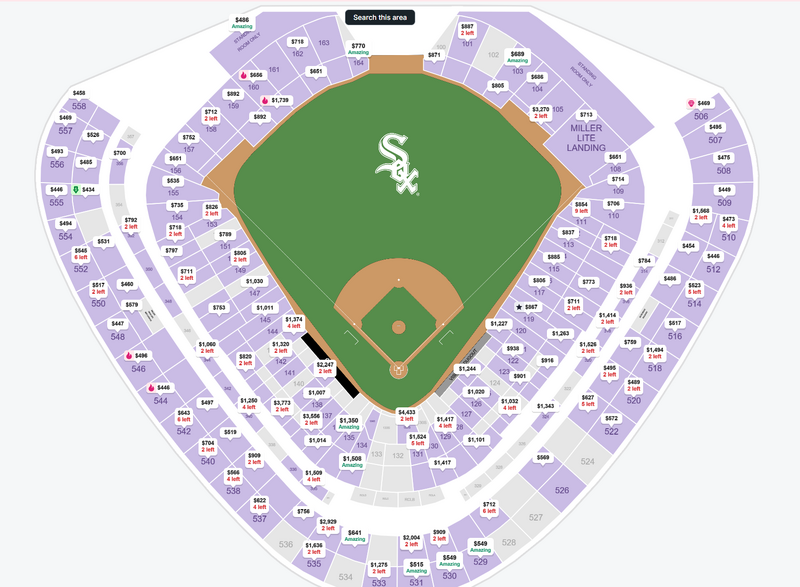
Sox are adding several new food items for the postseason I would absolutely CRUSH that burgerIf she throws a strike all fans seated in Section 158 win a car!Thome in a Sox jersey to troll Cleveland fansShapiro?Another one. Maybe they will start airing Sox playoff games on CNNWhat about convicts?Sounds like he may be converting -New Banner: Pope Leo, President Obama, Blago, Ben Shapiro and _____? Looks like he wrote a book about 2005: https://www.amazon.com/dp/1546751734I have tix for Thursday, but I will concede them for a clinch tomorrow. LFG!!!!!!!!!!https://www.stubhub.com/chicago-white-sox-chicago-tickets-10-7-2026/event/161554370
 The Sox are currently: +170 to win the American League +750 to win the World Series. I'm going back to bed I'm definitely dreamingdidnt hit you fatty, turn your gut quicker"LETS GO WHITE SOX" chants in Cleveland. Bury this fucks ColsonYou shoulda watched Chase last year this is his gameLETS FUCKINGGO!!!!!!!!!







Account
Navigation
Search
Configure browser push notifications
Chrome (Android)
- Tap the lock icon next to the address bar.
- Tap Permissions → Notifications.
- Adjust your preference.
Chrome (Desktop)
- Click the padlock icon in the address bar.
- Select Site settings.
- Find Notifications and adjust your preference.
Safari (iOS 16.4+)
- Ensure the site is installed via Add to Home Screen.
- Open Settings App → Notifications.
- Find your app name and adjust your preference.
Safari (macOS)
- Go to Safari → Preferences.
- Click the Websites tab.
- Select Notifications in the sidebar.
- Find this website and adjust your preference.
Edge (Android)
- Tap the lock icon next to the address bar.
- Tap Permissions.
- Find Notifications and adjust your preference.
Edge (Desktop)
- Click the padlock icon in the address bar.
- Click Permissions for this site.
- Find Notifications and adjust your preference.
Firefox (Android)
- Go to Settings → Site permissions.
- Tap Notifications.
- Find this site in the list and adjust your preference.
Firefox (Desktop)
- Open Firefox Settings.
- Search for Notifications.
- Find this site in the list and adjust your preference.