

JTB
Members
-
Joined
-
Last visited
Everything posted by JTB
-
Unbelievable. This is so much fun albeit stressful at times.
-
What leads you to believe the Sox are losing five in a row? They haven’t lost more than four all year and it sure as hell isn’t happening against Colorado.
-
I think I’m serious when I write this but do you consider sitting him right now and playing Meidroth at short, Sam at second and Grichuk in left? Definitely better offensively. Probably a significant downgrade on D. Montgomery is virtually unplayable at the moment. Now go hit two dingers tomorrow and prove me wrong.
-
If we’re one up after Friday (which is what you wrote) and lost Saturday and Sunday and the Guardians won Saturday and Sunday then we’d be one game behind. What am I missing?
-
Nah…let’s get a double digit lead again and close it out with Richards and Castillo then watch multiple heads explode on Soxtalk.
-
-
I would consider starting Burke tomorrow and Martin on Friday. I think that would be their normal days between starts due to the off day Monday. Then they could go Tuesday/Wednesday should the Sox not win the division.
-
So, 20 run lead for two innings?
-
If we’re one game up with two to play we can certainly fall behind by losing two and Cleveland winning two. Unless I read what hi8i read incorrectly, I think that’s the scenario he had used.
-
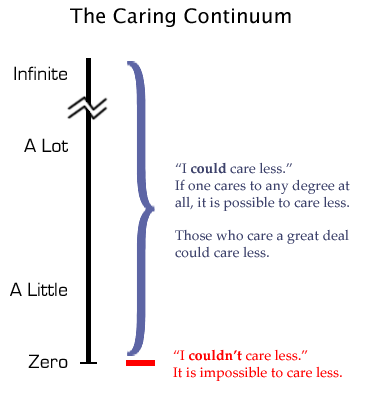
One more time. I’m glad the Red Sox care at least a little.
-
Sure we could. Lose the last two. Cleveland wins the last two.
-
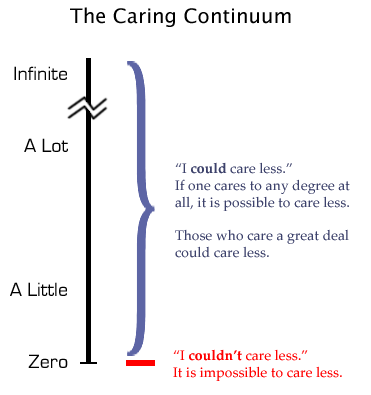
I’m just glad the Red Sox care at least a little.
-
Magic number now 2 with Rangers loss. 🤯
-
It’s happening. Unbelievable. Pinch me!
-
Get that bat out of the way so Vargas doesn’t turn an ankle.
-
Probably could have won by 10 had we used Hagan Smith and Grant Taylor. I’m fine with winning by three using two gas cans who won’t see the post-season.
-
It’s potentially who we play in the post-season. I’d prefer Texas over Houston.
-
I’m sure but terrible pitchers are often going to be terrible.
-
JFC…the Sox used their lowest leverage relievers in a laugher and people are pissed. Five to go. Bullpen is fresh. Team is hitting. Should use the Caleb Williams meme for the softness.
-
If we’ve clinched going into the last game let’s let him rot out there and find out.
-
Hopefully we have multiple 10 run leads for him to “hold” over the next 5 games. f***. You beat me to it.
-
Eckersly-light putting in work tonight.
-
Rangers down 6-3.
-
Future $23M closer warming in the pen.
-
Thats a foul ball.



